
October 5, 2026
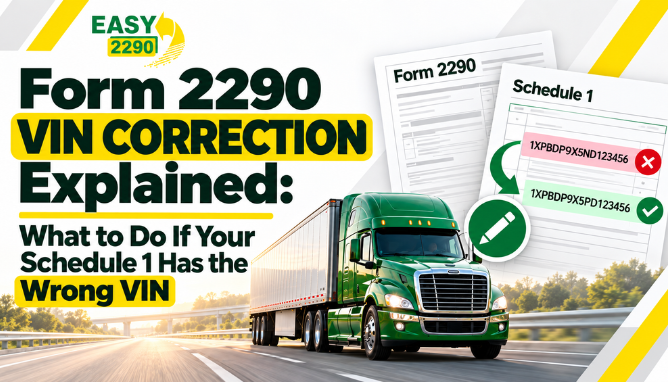
Form 2290 VIN Correction Explained: What to Do If Your Schedule 1 Has the Wrong VIN
You file Form 2290, the IRS accepts the return, and your stamped Schedule 1 arrives.
Then you notice it.
One character in the VIN is wrong.
That can be stressful, especially if you need Schedule 1 for registration, but the good news is that a VIN mistake does not automatically mean you need to redo the entire return.
A Form 2290 VIN correction is specifically designed for this situation.
What Is a VIN Correction on Form 2290?
A VIN correction is used when the Vehicle Identification Number on a previously filed Schedule 1 was entered incorrectly.
The IRS says you should check the VIN Correction box on Form 2290, enter the corrected VIN on Schedule 1, and attach an explanation for the correction. You should also use the Form 2290 for the same tax period that you are correcting.
If you are filing with Easy2290, VIN correction is one of the filing options the platform supports. Easy2290 also includes VIN correction in its filing plans.
When Should You Use a VIN Correction?
A VIN correction is appropriate when the truck itself was reported correctly, but the VIN was entered incorrectly.
For example, you may have:
- Typed one digit incorrectly
- Swapped two characters
- Entered a VIN from the wrong document
- Used the trailer VIN instead of the truck VIN
- Missed a character while entering the VIN
The IRS notes that a VIN is generally 17 characters and should come from the vehicle registration, title, or the vehicle itself. It also specifically warns filers not to use the trailer VIN.
VIN Correction or Amended Return?
These are not the same thing.
The IRS says the Amended Return box is generally used only when:
- The taxable gross weight increases and more tax is due
- A suspended vehicle exceeds the mileage-use limit
A simple VIN mistake should not be filed as an amended return. Instead, the VIN Correction box is used.
Here is the difference in simple terms:
| Situation | Filing Type |
| Wrong VIN on Schedule 1 | VIN Correction |
| Vehicle moves into a higher weight category | Amended Form 2290 |
| Suspended vehicle exceeds mileage limit | Amended Form 2290 |
| Tax amount was reported incorrectly | May require another correction or claim process |
You can review the supported filing types on the Easy2290 Forms page.
What Information Do You Need?
Before starting a VIN correction, have the correct vehicle details in front of you.
You will usually need:
- EIN
- Incorrect VIN from the accepted return
- Correct VIN
- Tax period being corrected
- Stamped Schedule 1
- Vehicle registration or title
- Short explanation of the VIN error
Do not rely on memory when entering the corrected VIN. Compare it directly with the truck title or registration.
Will the Tax Change?
Usually, a VIN correction itself does not change the HVUT amount.
You are correcting the vehicle identification number, not changing the taxable gross weight or first-use month.
If the error also affected the tax calculation, then the filing may need more than a simple VIN correction.
That is why it is worth checking the rest of the return before submitting the correction.
What Happens to Schedule 1?
After the correction is accepted, you should receive an updated Schedule 1 showing the corrected VIN.
That matters because Schedule 1 is commonly used as proof of Form 2290 filing for state vehicle registration.
The IRS warns that failure to include the full VIN can prevent vehicle registration with the state, so getting the VIN right is important.
Can You Correct a VIN Online?
Easy2290 supports VIN correction as part of its Form 2290 services.
You can start from the Easy2290 Forms page or review the Easy2290 pricing before filing.
Easy2290’s current pricing page states that VIN correction is included in its plans.
A Quick Check Before You Submit
Before sending the correction, compare the corrected VIN with the original vehicle record one more time.
Check:
- All 17 VIN characters
- EIN
- Correct tax period
- Vehicle registration
- Schedule 1 details
- Explanation for the correction
A second VIN error is avoidable, so it is worth taking an extra minute here.
Correct Your Form 2290 VIN With Easy2290
A wrong VIN on Schedule 1 can be frustrating, but it is a fixable filing issue.
Easy2290 supports Form 2290 VIN corrections, so you can correct the vehicle information without treating the issue like a completely new tax filing.
The main thing is to use the correct VIN, choose the proper correction type, and make sure the tax period matches the original return.
Frequently Asked Questions
Can I correct a VIN after Form 2290 is accepted?
Yes. The IRS allows a VIN correction for a VIN listed incorrectly on a previously filed Schedule 1.
Do I need to file an amended Form 2290 for a wrong VIN?
No. A VIN correction is separate from an amended return.
Do I have to pay the HVUT again?
A simple VIN correction normally does not mean paying the same tax again because you are correcting identification information rather than reporting a new vehicle liability.
What VIN should I use?
Use the VIN shown on the vehicle registration, title, or the vehicle itself. Do not use the trailer VIN.
Does Easy2290 support VIN corrections?
Yes. Easy2290 lists VIN correction among the services included in its filing plans.
Ready to file your Form 2290?
Create a free account today and complete your electronic filing in under 5 minutes.
Start Filing Now